Key takeaways
- Looking for the best Nexus 6P ROM for battery life? Compare LineageOS, Pure Nexus and more — kernels, governors and install tips for longer battery today.
The best Nexus 6P ROM for battery life is a question that still comes up years after Google stopped supporting the phone, because the Nexus 6P remains a favourite among Android enthusiasts who want a clean, unlockable device they can keep alive with community software. The stock firmware is long out of date, the original battery in most surviving handsets has degraded, and the last official build never received the power-management refinements that later Android versions brought. A well-chosen custom ROM can squeeze noticeably more screen-on time out of the same hardware by trimming background activity, updating the power HAL, and pairing the system with a battery-friendly kernel.
The short answer: LineageOS is the best Nexus 6P ROM for battery life for most people, thanks to its active maintenance, lean system, and support for efficient custom kernels. Pure Nexus is the best choice if you want a near-stock Pixel-style experience with sensible battery tuning built in, while crDroid and Resurrection Remix suit users who want deep customisation without giving up all-day endurance. Whichever ROM you pick, the battery gains come from the combination of ROM, kernel, governor, and your own settings — not from the ROM name alone.
Quick Picks
| ROM | Best For | Battery Strengths | Notes |
|---|---|---|---|
| LineageOS | Most users, longest support | Lean system, Doze improvements, wide kernel support | Official and unofficial builds; most stable daily driver |
| Pure Nexus | Stock-like feel with extras | Sensible defaults, good idle drain, Substratum support | Based on AOSP with Pixel features; fewer updates now |
| crDroid | Customisation plus endurance | Built-in battery profiles, smart charging controls | Feature-rich; needs careful setup to stay efficient |
| Resurrection Remix | Maximum features | Per-app controls, wakelock management, kernel tweaks | Heaviest option; battery gains depend on configuration |
| AOSP Extended (AEX) | Balance of features and life | Good Doze behaviour, clean base, active community | A solid middle ground between stock and feature-heavy ROMs |
| Nitrogen OS | Minimalists | Very light footprint, fast updates, low idle drain | Fewer features; best paired with a tuned kernel |
| Stock-based debloated ROM | Cautious first-timers | Familiar behaviour, removes carrier and Google bloat | Smallest change from stock; gains are modest |
How to Choose
Start With Your Battery’s Real Condition
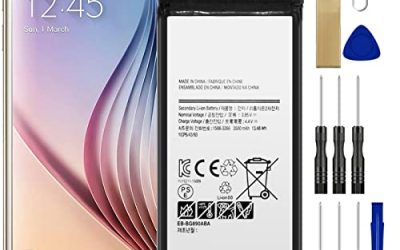
No ROM can fix a worn-out cell. The Nexus 6P shipped with a 3,450 mAh battery, and most surviving units have lost a significant share of their original capacity after years of charge cycles. Before flashing anything, check your battery health with an app such as AccuBattery and note the estimated capacity. If the figure is far below the design capacity, replacing the battery first will do more for endurance than any software change. A ROM is the second step, not the first.
Pick a ROM With an Active Maintainer
The Nexus 6P is a discontinued phone, and every ROM available for it today is community-maintained. That makes the maintainer more important than the feature list. Look for a build thread with recent posts, a changelog dated within the last few months, and users reporting that basic functions — calls, mobile data, Wi-Fi, camera, and fingerprint — work. An abandoned build may still boot, but it will not receive security patches, and unpatched software is a real risk on a daily driver.
Understand That the Kernel Matters as Much as the ROM
The kernel controls the CPU governor, the GPU frequency, wakelocks, and how aggressively the phone sleeps. Many Nexus 6P owners report that the biggest battery improvement comes not from switching ROMs but from pairing a clean ROM with a kernel such as ElementalX or Franco Kernel, then choosing a conservative governor. When you compare ROMs, check which kernels their users recommend and whether the ROM’s default kernel is already tuned for efficiency or set for maximum performance.
Decide How Much Customisation You Actually Want
Feature-heavy ROMs such as Resurrection Remix and crDroid offer dozens of toggles, but every extra service, animation, and background process can cost battery. If your priority is endurance, a lean ROM with a handful of useful extras beats a kitchen-sink build you will spend weeks tuning. Be honest about whether you will actually use the extra features, and choose accordingly.
Check Android Version and App Compatibility
Newer Android versions bring better Doze behaviour and background restrictions, but they can also be heavier on old hardware. LineageOS builds based on newer Android versions generally offer the best balance of modern power management and acceptable performance on the Nexus 6P’s Snapdragon 810.
Plan for SafetyNet and Banking Apps
Unlocking the bootloader and installing a custom ROM can trip SafetyNet checks, which some banking and payment apps use. Magisk can often hide root status, but this is a moving target, and there is no guarantee that any given app will work. If you depend on a payment or banking app, research its current behaviour on your chosen ROM before you wipe your phone.
Keep a Full Backup and a Way Back
Flashing a ROM wipes your data. Take a complete backup with TWRP, copy it off the phone, and keep a copy of the factory image so you can return to stock if anything goes wrong.
LineageOS: The Best All-Round Choice
LineageOS is the most widely recommended answer to the best Nexus 6P ROM for battery life question, and the reasons are practical rather than sentimental. It is the direct successor to CyanogenMod, it has the largest maintainer community of any custom ROM, and its Nexus 6P builds have been among the most stable for years. The system is close to stock Android, with a small set of genuinely useful additions such as Privacy Guard, a built-in theme engine in older builds, and granular permission controls.
For battery life, LineageOS wins on leanness. There is no carrier bloat, no duplicate apps, and no vendor skin running background services. The Doze implementation in its newer Android bases is more aggressive than the one in the last official Nexus 6P firmware, so the phone sleeps more deeply when idle.
LineageOS also has the widest kernel support. ElementalX, Franco Kernel, and other popular Nexus 6P kernels are tested against LineageOS first, so you can flash a battery-tuned kernel with confidence. The ROM’s own default kernel is already sensible, but swapping in ElementalX and selecting a conservative governor is where many owners find their biggest gains.
The trade-off is that LineageOS is deliberately plain. You will not get the Pixel launcher or the visual flair of heavier ROMs out of the box, though most of those can be added separately. For a phone whose job is to last through the day, that plainness is a feature.
Pure Nexus: The Best Stock-Like Experience
Pure Nexus aims to deliver the experience Google would have shipped if the Nexus 6P had kept receiving updates: clean AOSP with Pixel features layered on top, sensible defaults, and nothing you did not ask for. It was one of the most popular Nexus 6P ROMs during the phone’s active years, and its builds remain a strong choice for battery life because the project prioritised stability and efficiency over feature count.
Its battery strengths are in its defaults. Pure Nexus ships with Doze settings that favour deep sleep, a restrained approach to background services, and a kernel configuration that avoids the aggressive frequency spikes some performance-oriented ROMs use.
Pure Nexus is also a good pick if you like the Pixel look — the launcher, the round icons, and the Google feed integration — but do not want the overhead of a feature-heavy ROM. The main caveat is maintenance: updates have slowed as the device aged, so check the build date and the maintainer thread before flashing. If the latest build is old, LineageOS is the safer long-term home.
crDroid: Features Without Giving Up the Day
crDroid sits between the lean and the lavish. It is based on LineageOS, so it inherits the clean base and the good Doze behaviour, then adds a large set of customisation options: status-bar tweaks, gesture controls, a built-in battery and performance profile switcher, and smart charging features that can limit charging behaviour to reduce long-term battery wear.
That profile switcher is the reason crDroid belongs on a battery-life shortlist. You can switch between performance, balanced, and power-saving profiles without opening a kernel manager, and the ROM exposes wakelock and alarm controls that let you rein in misbehaving apps.
The risk is the opposite one: with so many toggles available, it is easy to enable features that quietly cost battery — live wallpapers, always-on display elements, aggressive sync, and extra background services. If you choose crDroid, disable what you do not need and measure idle drain for a few days before judging the result.
Resurrection Remix: Maximum Control for Tinkerers
Resurrection Remix combines features from LineageOS, SlimROM, and other projects into one of the most configurable ROMs ever built for the Nexus 6P. It offers per-app settings, detailed wakelock blocking, custom quick settings, gesture controls, and a level of interface control that no stock-based ROM can match.
For battery life, its strength is control. The built-in wakelock and alarm management lets you stop specific apps from waking the phone, and the kernel settings panel exposes governor and frequency controls without a separate app. An experienced user who knows which apps to restrain can achieve excellent endurance on Resurrection Remix.
AOSP Extended and Nitrogen OS: The Lean Alternatives
AOSP Extended, often shortened to AEX, is a good middle ground. It adds a moderate set of features to an AOSP base — a customisable status bar, gesture options, and a few quality-of-life tweaks — while keeping the system light enough that battery life stays close to LineageOS levels.
Nitrogen OS goes further toward minimalism. It is one of the lightest ROMs available for the Nexus 6P, with a small footprint, fast updates during its active period, and very low idle drain. It offers fewer features than AEX or crDroid, but if your priority is a phone that sips power while idle and you are comfortable adding the extras you need yourself, Nitrogen OS deserves a look. Pair it with a tuned kernel and a conservative governor for the best results.
Kernels and Governors: Where the Real Gains Live
A ROM sets the stage, but the kernel directs the performance. On the Nexus 6P, the Snapdragon 810 is notorious for running hot, and heat is the enemy of battery life. A good kernel keeps the big cores at sensible frequencies, avoids unnecessary frequency spikes, and lets the phone enter deep sleep promptly.
ElementalX is the most widely used Nexus 6P kernel for battery life. It offers a choice of governors, sweep-to-wake controls, and fine-grained frequency limits, and its installer lets you pick a battery-oriented profile during setup. Franco Kernel is another strong option, known for its conservative defaults and its companion app, which makes it easy to apply a battery profile without editing files by hand.
The governor matters more than the kernel name. Conservative and powersave governors cap peak frequencies and ramp up slowly, which saves power but can make the phone feel sluggish. Interactive and blu_active governors respond faster while still keeping idle frequencies low, and they are the usual recommendation for a daily driver that needs both responsiveness and endurance. Avoid performance governors entirely if battery life is your goal; they pin frequencies high and drain the cell quickly.
How to Install a Custom ROM Safely
Installing a custom ROM on the Nexus 6P follows a well-established process, but every step carries risk, so treat the phone as if a mistake could wipe it. First, unlock the bootloader through fastboot, which erases all data on the device. Next, flash TWRP recovery, then take a full Nandroid backup and copy it to a computer. Download the ROM, the matching GApps package, and your chosen kernel, verifying the file hashes against the values published by the maintainer.
In TWRP, wipe the system, data, cache, and Dalvik partitions, then flash the ROM, followed by GApps and the kernel. Reboot, complete the setup, and give the phone a few charge cycles before judging battery life — the system needs time to settle, build caches, and let apps complete their first sync. Measure idle drain overnight and screen-on time over several days rather than trusting the first few hours.
The risks are real and worth stating plainly. Unlocking the bootloader voids any remaining warranty, erases your data, and can trip SafetyNet. A bad flash, a wrong file, or a power cut during installation can leave the phone unbootable, and while the Nexus 6P can usually be recovered with the factory image, that is not guaranteed. The Nexus 6P also has a known hardware issue, the bootloop of death, linked to the Snapdragon 810 and ageing solder; no ROM can fix a hardware fault, and flashing will not revive a phone that is already failing.
What to Check Before You Buy
There is nothing to buy here in the usual sense — the ROMs are free, community-maintained software — but there are still things to verify before you commit your only phone to a flash. Check the build date and the maintainer’s thread for recent reports of broken features, especially mobile data, Bluetooth, and the camera, since a ROM that cannot make calls is useless no matter how long its battery lasts. Confirm that the GApps package matches the Android version of the ROM, because a mismatched package is one of the most common causes of a failed first boot.
Check your battery health first, as noted above, and consider a replacement if capacity is low. A new battery plus a lean ROM is the combination that gives the Nexus 6P its best realistic endurance today. Also check that you have the right tools on your computer — current fastboot and ADB binaries, the factory image for recovery, and a charged phone — before you start. Flashing with a nearly flat battery is asking for trouble.
Finally, be honest about whether a custom ROM is the right answer for your needs. If you rely on banking apps, work profiles, or device-management software that refuses to run on unlocked devices, the battery gain may not be worth the friction. In that case, a battery replacement and careful use of the stock firmware’s own battery saver may be the better path.
FAQ
What is the best Nexus 6P ROM for battery life overall?
LineageOS is the best all-round choice for most Nexus 6P owners. It is lean, actively maintained, and works well with battery-tuned kernels such as ElementalX. Pure Nexus is the best alternative if you prefer a stock Pixel-style experience, and crDroid is the best option if you want built-in battery profiles and deeper customisation.
How much extra battery life can a custom ROM give the Nexus 6P?
Expect a modest improvement rather than a transformation. With a healthy battery, a lean ROM, and a tuned kernel, many owners report better idle drain and somewhat longer screen-on time than the last stock firmware, but the gains are measured in extra hours, not extra days. If your battery is badly degraded, replace it first — no software can restore lost capacity.
Will a custom ROM fix the Nexus 6P bootloop problem?
No. The bootloop issue is a hardware fault, not a software one, and no ROM or kernel can repair it. Some community workarounds disable the affected CPU cores to keep a failing phone booting, but that is a salvage measure for a dying device, not a fix, and it comes with a performance cost.
Is it still safe to use a Nexus 6P with a custom ROM in 2026?
It depends on what you use it for. A maintained ROM such as LineageOS receives security patches long after Google stopped supporting the phone, which is far safer than running the last official build. Even so, the hardware is old, some apps may refuse to run, and you should not use it as your only device for sensitive banking or work without understanding the SafetyNet and support trade-offs.
Bottom Line
The best Nexus 6P ROM for battery life is LineageOS for most people: it is the leanest well-supported option, it pairs cleanly with battery-tuned kernels, and its active maintenance means you keep getting security patches on a discontinued phone. Pure Nexus is the pick if you want the cleanest stock-like feel, crDroid suits users who want built-in battery profiles and customisation, and Resurrection Remix is for tinkerers who will use its deep controls. Whichever ROM you choose, check your battery health first, pick a build with an active maintainer, pair it with a sensible kernel and governor, and keep a full backup and the factory image close at hand. The Nexus 6P is a discontinued phone kept alive by its community, and the best battery life comes from treating the ROM, the kernel, and your own settings as one system — not from any single download.
Disclosure: As an Amazon Associate, we may earn from qualifying purchases.